CodeX: Code AI for Xcode for Mac
By Ayesha Javeed
- Category: Developer Tools
- Developer: Ayesha Javeed
 Download on the Mac App Store
Description
Your AI-Powered Xcode Companion
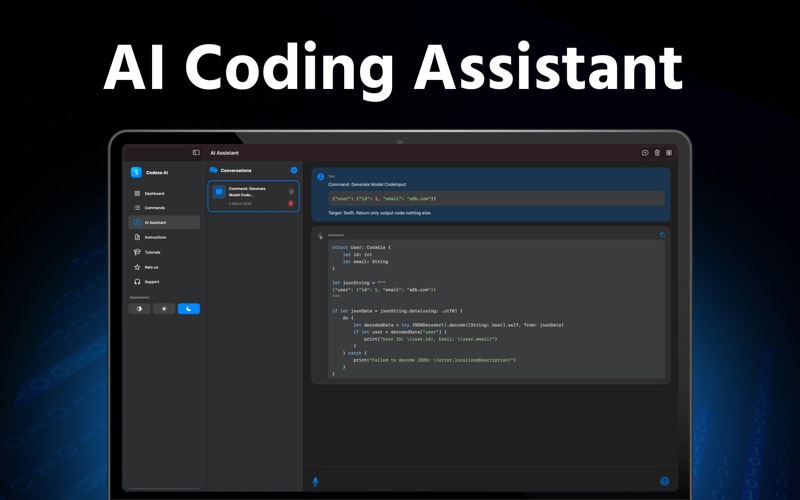
This is a macOS app that supercharges Xcode with AI, featuring a Xcode Source Editor extension called code.ai and a desktop app with an AI assistant, command examples, and step-by-step guides. Write better Swift and SwiftUI code faster and more efficiently.
Xcode Extension (code.ai)
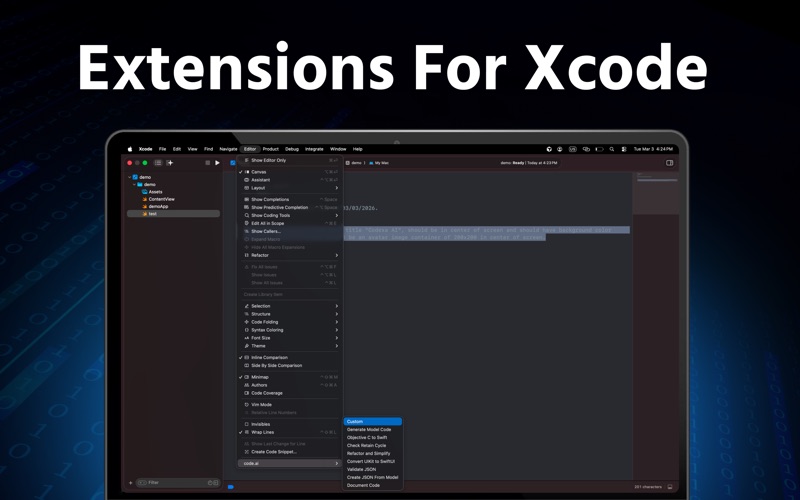
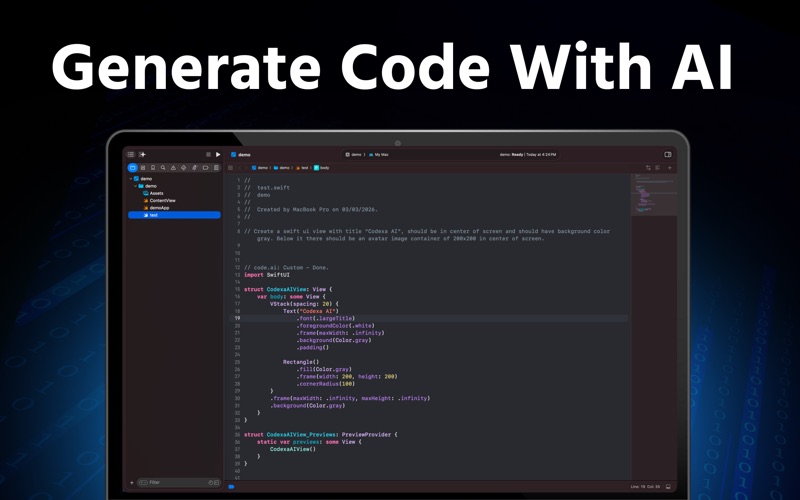
Enable the code.ai extension in System Settings → Extensions → Xcode Source Editor, then use it from Xcode’s Editor menu. Select code or comments and run a command. AI output is inserted directly into your project.
Custom Prompt – Select a comment or instruction such as "write a function to add two integers." The extension generates code and inserts it below the selection.
Generate Model Code – Paste JSON, run the command, and get Swift Codable structs. Handles nested objects and arrays.
Objective-C to Swift – Convert selected .h/.m code to Swift 5+. Methods, properties, and blocks are translated and inserted below.
Check Retain Cycle – AI detects retain-cycle risks in the selection and suggests fixes, such as [weak self].
Refactor and Simplify – Refactor code for readability: if-chains to switch, guard early returns, simpler map/filter, without changing behavior.
Convert UIKit to SwiftUI – Select UIKit view setup (labels, buttons, stacks) and get equivalent SwiftUI views.
Validate JSON – Validates the selection as JSON and pretty-prints it with 2-space indentation. Runs locally.
Create JSON From Model – Select a Swift Codable model and AI generates a sample JSON payload that matches the structure.
Document Code – AI adds documentation comments (/// or /** */) to types, functions, and properties in the selection.
Perfect For
Swift and SwiftUI developers
Teams migrating from Objective-C to Swift
Anyone who wants AI-assisted refactoring and documentation
Developers who need Codable models from JSON or sample JSON from models
Download app, enable the code.ai extension, and bring AI into your Xcode workflow.
Note: A subscription plan is required for unlimited access to all features.
Privacy Policy:
https://nextshineapps.blogspot.com/p/privacy-policy-for-apps.html
Terms and Conditions:
https://nextshineapps.blogspot.com/p/terms-conditions.html
Screenshots