Download on the Mac App Store
Description
Our PDF Converter app streamlines every aspect of document handling, making it an essential tool for professionals, students, and anyone who deals with digital files. Easily convert a wide range of file types into PDFs with just a few taps.
With an intuitive design and easy-to-navigate interface, transforming files such as Word docs, Excel sheets, PowerPoint slides, images (including GIFs), and more into high-quality PDFs has never been simpler.
Preserve the original formatting of your documents, safeguard your files with password protection using lock/unlock features, and share content seamlessly across devices and platforms.
We built this tool to simplify how users manage and convert documents. By supporting quick, universal PDF conversions, our app helps you boost productivity and streamline communication through easy editing, viewing, and sharing.
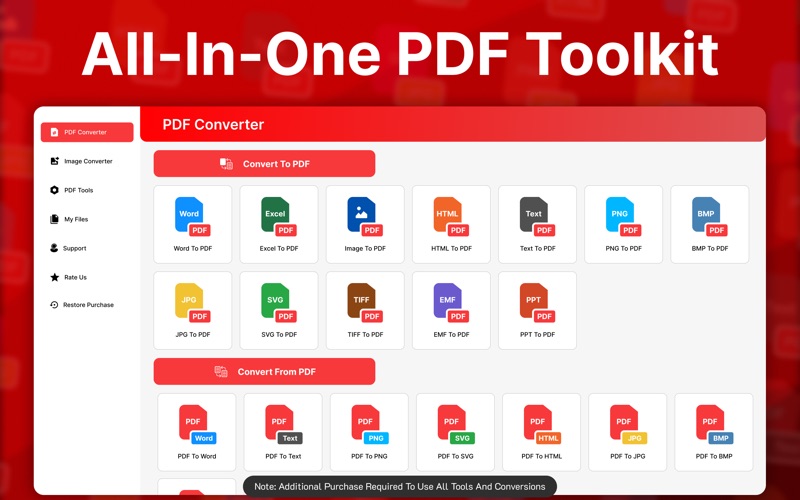
Convert From PDF
Turn your PDFs into other formats quickly with our versatile converters:
PDF to Word
PDF to JPG
PDF to PNG
PDF to Excel
PDF to PowerPoint
PDF to GIF
PDF to SVG
PDF to TIFF
PDF to RTF
PDF to ICO
PDF to HTML
Convert To PDF
Easily generate PDFs from a wide variety of file formats:
Word to PDF
JPG to PDF
PNG to PDF
Excel to PDF
PowerPoint to PDF
GIF to PDF
SVG to PDF
TIFF to PDF
RTF to PDF
ICO to PDF
HTML to PDF
BMP to PDF
CSV to PDF
EPS to PDF
Optimize Files for Efficiency
Reduce file sizes without losing quality to save space and speed up sharing:
Compress PDF
Compress PNG
Compress JPG
Additional Tools for PDF Customization
Make your PDFs work the way you need them to with:
Lock & Unlock PDF
Rotate PDF
Split PDF
Merge PDF
Delete PDF Pages
Note:
Payment will be charged to your iTunes account at confirmation of purchase. Your subscription will automatically renew unless auto-renew is turned off at least 24-hours before the end of the current subscription period. Your account will be charged for renewal within 24-hours prior to the end of the current subscription period. Automatic renewals will cost the same price you were originally charged for the subscription. You can manage your subscriptions and turn off auto-renewal by going to your Account Settings on the App Store after purchase. Read our terms of service and Privacy Policy for more information.
Privacy policy
https://sites.google.com/view/nova-chatbot/privacy-policy
Terms of use
https://sites.google.com/view/nova-chatbot/terms-and-conditions
Screenshots