Download on the App Store
Description
Give your Discord communities a real home on the Mac.
Desktop App for Discord Chat puts Discord's web client in a fast, native Mac window — access your servers, DMs, and voice the moment you open it — then adds a 30-tool AI studio to help you set up, moderate, and grow your community. Independent, private by design, and built to Apple's standards.
Not a browser tab. Not a thin wrapper. A focused Mac app with multi-account switching, a menu-bar mini mode, native notifications, and light/dark themes with a custom accent color — plus a utility Toolbox that works before you sign in to anything.
ACCESS DISCORD ON YOUR MAC
• Discord's web client in a crafted, resizable window
• Switch between multiple accounts in a click
• Menu-bar mini mode, native notifications, and quick actions
• Find in page, quick switcher, zoom, and full keyboard shortcuts
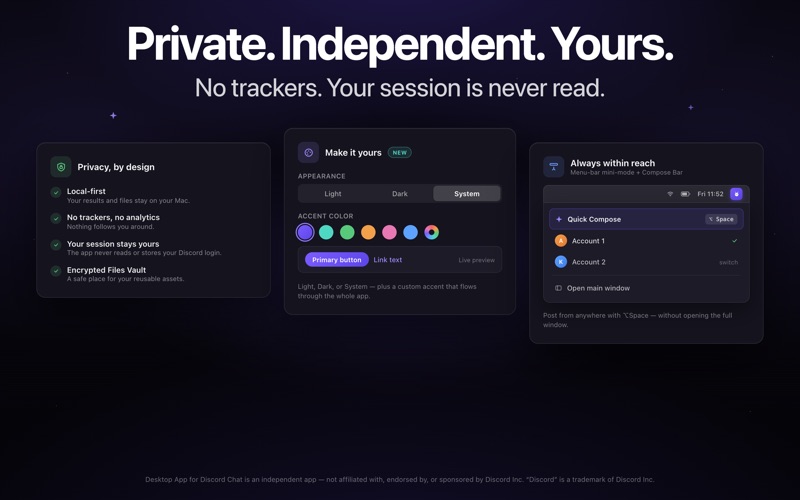
• Light, dark, and system themes, a custom accent color, and a dark app icon
AI STUDIO — 30 TOOLS FOR OWNERS, MODS & MEMBERS
Seven categories, each built around a real job:
• Server Setup — channel maps, role and permission plans, onboarding flows, an FAQ builder, and a bot and embed designer
• Moderation — rules and AutoMod rulesets, a moderation playbook, conflict de-escalation, and canned replies
• Growth — day-by-day growth plans, retention diagnostics, and question-of-the-day prompts
• Analysis — a server health score with concrete fixes, a problem solver, and a chat vibe check
• Writing — tone rewriter, thread summaries, announcements, and multilingual translation
• Events — event promos, polls and icebreakers, and content calendars
• Branding — names, taglines, palettes, emoji ideas, and listing optimization
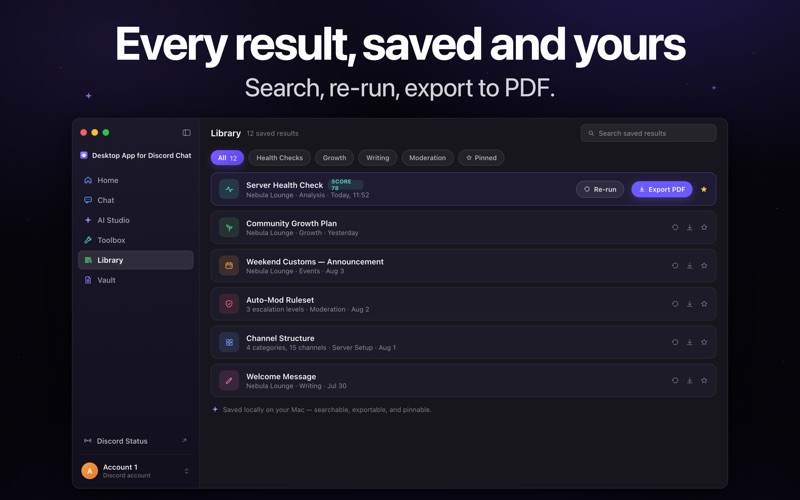
Every result is saved to your Library — searchable, exportable to PDF, and re-runnable from a preset.
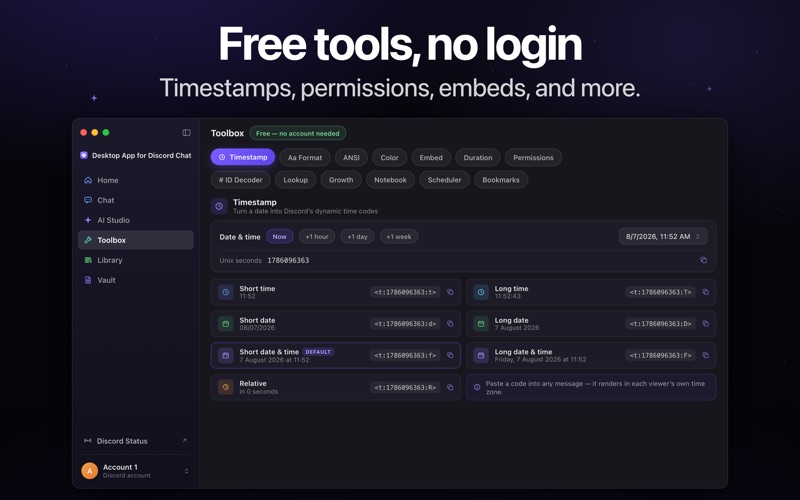
A TOOLBOX — NO LOGIN NEEDED
• Discord timestamp maker
• Permissions calculator and ID (snowflake) decoder
• Rich embed builder with a live preview
PRIVATE BY DESIGN
• No analytics, trackers, ad identifiers, or third-party SDKs
• The app never reads, stores, or transmits your Discord login, messages, or session
• AI tools work on only the text you type — nothing from the Discord window
• Everything you create stays on your Mac; Files Vault contents are encrypted
PREMIUM
You need to purchase it before use. We offer Monthly or Yearly Subscriptions.
• Payment is charged to your Apple Account when you confirm the purchase.
• The subscription renews automatically unless you turn off auto-renew at least 24 hours before the current period ends.
• Your Apple Account is charged for the renewal — at your plan's price — within 24 hours before the current period ends.
• Cancelling stops future renewals; your current period stays active until it ends.
• You can manage your subscription or turn off auto-renewal anytime in your App Store account settings after purchase.
• If a free trial is included, any unused portion is forfeited when you buy a subscription.
• All prices are shown in the app before you subscribe.
Terms of Use: https://gavcris.app/#terms
Privacy Policy: https://gavcris.app/#privacy
EULA: https://www.apple.com/legal/internet-services/itunes/dev/stdeula/
REQUIREMENTS
A Discord account is required to use the chat window. You supply your own account; the app is a viewer and never automates, scripts, or sends messages on your behalf.
Desktop App for Discord Chat is an independent application and is not affiliated with, endorsed by, or sponsored by Discord Inc. "Discord" is a trademark of Discord Inc.
Screenshots