Download on the App Store
Description
In this era of information overload, managing a massive number of images shouldn't slow you down.
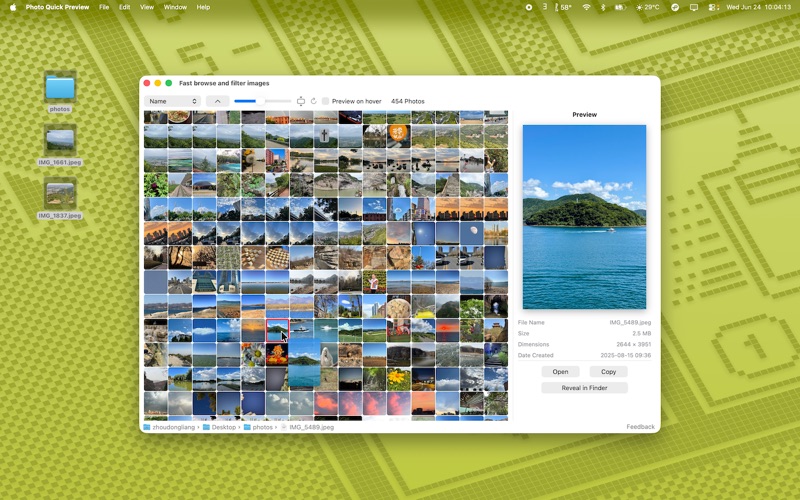
This app is designed to solve a simple problem: how to view and organize your local images as quickly as possible.
For an intuitive experience, I’ve used a dual-pane layout. You can adjust thumbnail sizes with the slider at the bottom, and preview images simply by hovering over them—no more endless clicking.
I hope this tool helps you stay efficient.
【Features】
Quick Preview: Preview images on hover; supports GIF playback.
Efficient Interaction: Navigate with keyboard arrow keys, double-click to open, and drag-and-drop to other folders.
Batch Processing: Multi-select to delete, copy, or get info. Copy images instantly with a single click.
Simple Management: Sort by name, date created, or size (ascending/descending).
Essential Operations: Right-click menu for quick access to Open, Copy, Delete, and Get Info.
Feedback: macostool@qq.com
Screenshots