Download on the App Store
Description
Stucla – Your guide to being organized
Stucla is a simple and reliable school assistant designed to help students stay organized and on track with their academic life. With an easy-to-use interface, Stucla helps you manage classes, classwork, schedules, and important web all in one place.
Whether you’re keeping track of assignments, preparing for tests, or organizing your monthly timetable, Stucla gives you the tools you need to plan ahead and stay focused.
Key Features
Classwork:
• Easily manage your academic tasks in one place
• Add tests, assignments, papers, and exams
• Set reminders for lectures and important deadlines
• Keep track of upcoming and completed classwork
Classes:
• Organize your daily lectures with clarity
• Add class names, times, and schedules
• Set reminders so you never miss a lecture
• View your classes in a clean and organized format
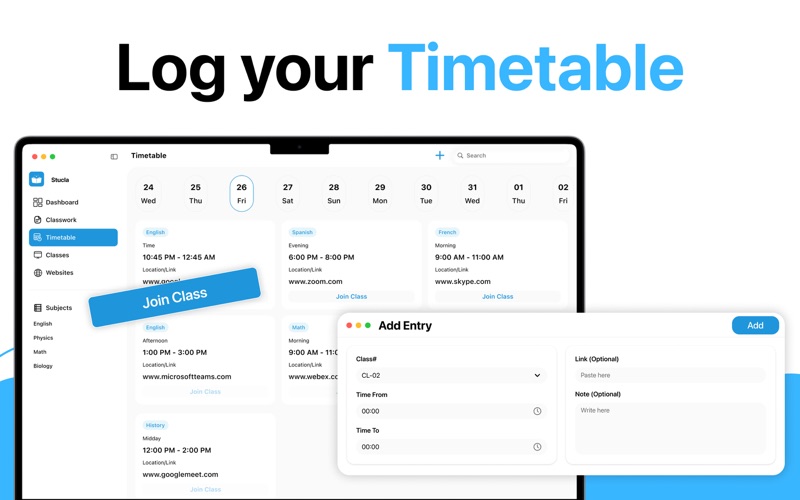
Timetable:
• Plan your academic month with confidence
• Create a full monthly timetable
• Visualize your schedule at a glance
• Stay prepared for busy school weeks
Web:
• Keep important learning resources close.
• Save useful school and study websites
• Access them quickly whenever you need
• Reduce time spent searching for links
Designed for Students
Stucla is built with students in mind. It focuses on organization, clarity, and ease of use without unnecessary complexity. Whether you’re managing a light schedule or a full academic workload, Stucla helps you stay organized and informed.
Why Stucla?
• Clean and intuitive macOS design
• Simple task and schedule management
• Helpful reminders for important events
• All your school essentials in one app
• Stay organized. Stay prepared.
Stucla helps you manage your school life one class at a time.
Privacy Policy:
https://sites.google.com/view/moniba-jamil/privacy-policy
Terms of Use:
https://sites.google.com/view/moniba-jamil/terms-of-use
EULA:
https://sites.google.com/view/moniba-jamil/end-user-license-agreement
Screenshots