Download on the App Store
Description
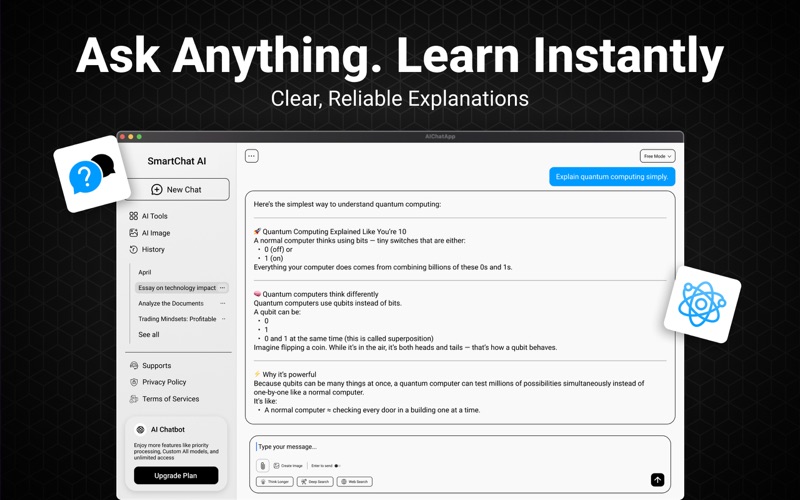
Smart Chat – AI Assistant for Mac is your intelligent productivity companion. Powered by advanced ChatGPT 5 & 4 technology, it helps you chat, plan, analyze documents, and organize your goals — all from a clean, fast workspace designed for macOS.
Chat naturally in multiple languages, manage different conversations, and unlock guided AI tools that go beyond a simple chatbot. Whether you’re analyzing a PDF, planning a budget, writing notes, or organizing tasks, Smart Chat gives you a powerful and private AI assistant built for productivity.
And now, with customizable themes, you can personalize your workspace with Midnight Dark, Bright White, or the updated Classic Purple design.
Key Features
1. Smart Conversations – Get quick, intelligent answers with streaming AI responses.
2. Web Search Integration – Access current, reliable web information directly inside your chat.
3. Multilingual Support – Talk naturally in your preferred language.
4. Productivity Tools – Built-in tools like Smart Budget, Goal Planner, and Savings Coach keep you organized.
5. Document Analysis – Upload PDF, DOCX, TXT, and more to extract insights instantly.
6. Multiple Chats – Keep track of all your conversations with persistent storage.
7. Chat Export to PDF – Save and share your chat history with clean, theme-aware PDF exports.
8. Privacy First – Your data stays securely on your device at all times.
9. Theme Selector (NEW) – Choose from Midnight Dark, Bright White, or Classic Purple for a personalized experience.
Boost Productivity on Mac
Smart Chat isn’t just a chatbot — it’s a complete productivity assistant. Summarize PDFs, draft reports, prepare study notes, analyze documents, and brainstorm ideas with ease. Students can plan assignments and research projects, while professionals can manage budgets, tasks, meetings, and business documents.
With built-in web search, Smart Chat can look up current events, research topics, and verify facts in real time — keeping your answers accurate and up to date.
Now with the new themable interface, you can customize Smart Chat to match your workflow, whether you prefer a crisp white layout, a focused dark mode, or the classic purple design.
Try Smart Chat today and experience how a powerful AI assistant with real-time information, document analysis, and a fully customizable interface can enhance your work, learning, and everyday productivity.
Terms of Service: https://mql-development.github.io/AIChatBot/terms-of-service.html
Privacy Policy: https://mql-development.github.io/AIChatBot/privacy-policy.html
Screenshots