Download on the App Store
Description
"Edit PDFs Like a Pro."
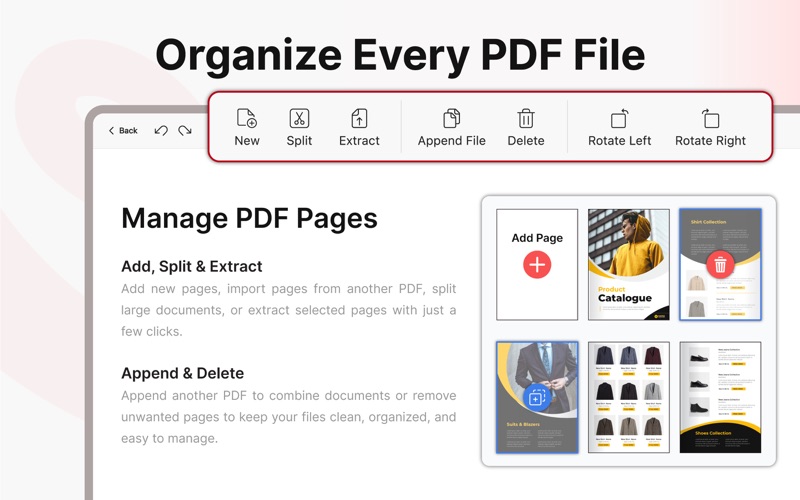
Meet Our PDF Editor, a feature-rich and user-friendly application designed to empower users with seamless document management and customization. With its advanced features, you can effortlessly Add Text, Shapes, Images and Draw within PDF files, ensuring precise and polished content.
"Trust the Expertise of Our PDF Editor & TRY Our Feature-Packed Editor Today!"
A PDF editor is the go-to solution for businesses, students, professionals, and anyone dealing with PDF documents regularly. Experience the convenience and efficiency of our PDF editor to optimise their PDF editing and document management. Streamline your workflow and elevate your productivity with this indispensable tool for users.
Don’t hesitate to contact us at askminsam@gmail.com in case of any question.
Explore our app's plans: Weekly, Monthly, Yearly, and Lifetime. Choose your ideal subscription and elevate your experience.
Upon purchase confirmation, the payment will be charged to your iTunes account. Your Subscription will automatically renew unless auto-renew is turned off atleast 24 hours before the subscription period ends. You can manage or cancel your subscription through your iTunes Account Settings after purchase.
Privacy Policy: https://samuelminham.wixsite.com/minham-samuel/privacy-policy
Terms & Conditions: https://samuelminham.wixsite.com/minham-samuel/terms-conditions
EULA: https://www.apple.com/legal/internet-services/itunes/dev/stdeula
Screenshots